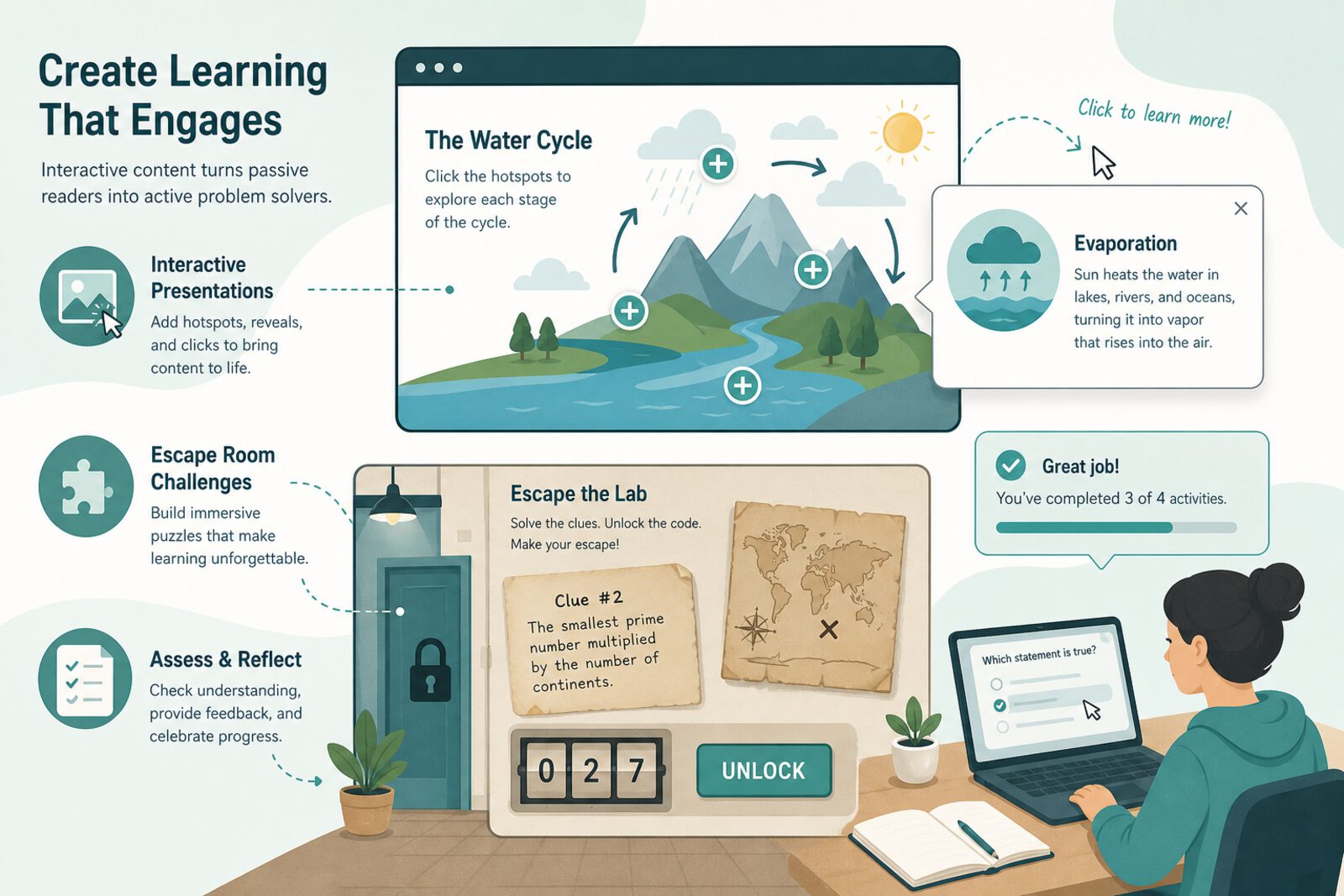
Genially (genially.com / genial.ly) is a platform for interactive content: presentations with buttons, animated infographics, games, timelines, and educational escape rooms. Unlike static slides, each element can hide definitions, videos, or questions—the student explores instead of only watching.
For families teaching online in Chile or LatAm, Genially helps when a complex topic needs visual explanation or when traditional review feels dull. It also lets the student create and teach—one of the most effective ways to consolidate learning.
What it is and what you can build
The library includes concept-map templates, flashcards, integrated quizzes, and gamified paths. Publish via link or embed. A free plan includes branding and limits; education plans expand downloads and collaboration. No heavy software install: it runs in the browser.
A well-designed educational escape room can review a whole topic in twenty minutes: short puzzles, gradual hints, and a closing summary. The adult can facilitate without mastering the content if the genially is well built.
What it is good for at home
- Explain water cycles, cells, or Chilean independence with interactive layers.
- Pre-test review as a game without buying printed materials.
- Student project: create their own infographic and present to the family.
- Accessible material for siblings of different ages (text + embedded audio).
- Reusable resources month to month with small edits.
Genially pairs well with Padlet or a notebook: the genially introduces, the notebook deepens with exercises.
How to get started
Sign up at genially.com, pick an “Education” template, and adapt an existing resource before building from scratch. For the first session, use a public gallery genially on a topic you already study and walk through it together with oral questions. If creating, cap the first version at five interactive screens.
Save links in a family doc and tag by subject. When the student produces their own genially, ask for a checklist: cited source, readable text on mobile, one final reflection question.
Limits and cautions
- Too many animations distract; prioritize clarity over effects.
- Check accessibility: contrast, font size, and reading pace.
- Embedded third-party content may break; keep an offline backup.
- The free plan shows Genially branding; decide if that matters for formal presentations.
- Does not replace deliberate practice in math or extended writing.
Genially helps when home study needs format variety. Used in moderation, it turns repetitive review into active exploration—without losing pedagogical focus.